

Sections
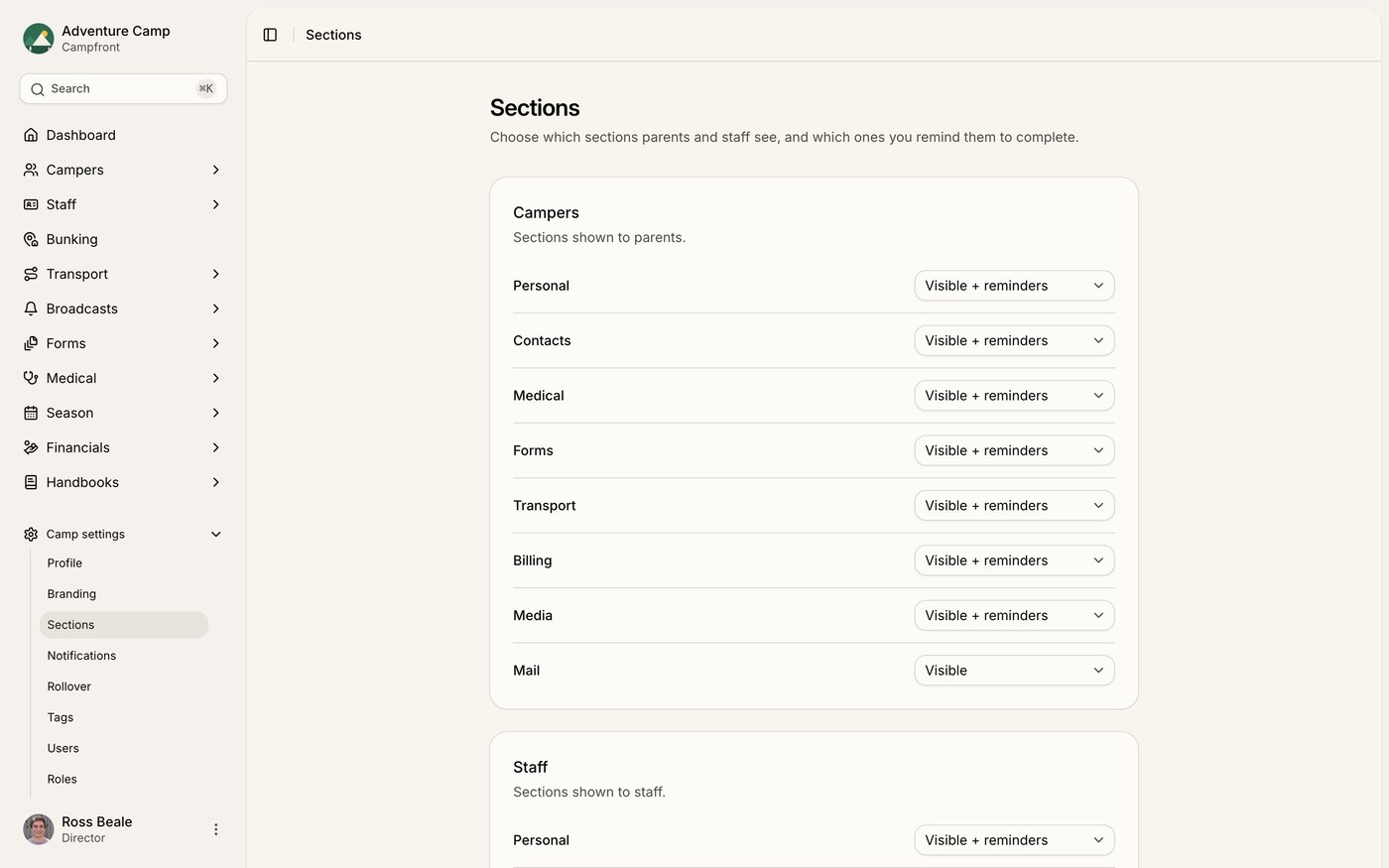
The Sections tab controls what parents and staff see when they sign in, and which parts of their profile Campfront reminds them to finish. You'll find it under Camp settings > Sections. You set it separately for campers and for staff.
This is the first place to look when a parent or staff member says they can't find something in their portal. Section visibility is family-facing only. It governs the parent and staff portals, not your admin view.
You always see everything as an admin. Hiding a section only hides it from parents and staff. What you can see as an admin is controlled by your permission role, not by this tab. So if you can open a camper's Billing tab but a parent says it's missing for them, check whether Billing is switched off here first.
The three settings
Each section has up to three options.
Hidden - the section doesn't appear in the portal at all. If someone opens it from a direct link, they're sent back to their dashboard
Visible - the section shows up and people can use it, but Campfront won't remind them about it
Visible + reminders - the section shows up, and anything unfinished counts toward that person's outstanding actions. This is the starting point for the main profile sections
Some sections only offer Hidden or Visible, because there's nothing to remind anyone about.
The sections you can control
You set two audiences separately, campers (what parents see) and staff.
For campers
Personal, Contacts, Medical, Forms, Transport, Billing, Media, Mail, and Handbook.
For staff
Personal, Contacts, Medical, Forms, Transport, Media, and Handbook.
Billing and Mail are camper-only. They don't apply to staff, so they aren't in the staff list.
Mail and Handbook show up here only once you've turned the underlying feature on, camper mail for Mail, and a published handbook for that audience for Handbook. If you don't see one of them in the list, that's why.
How reminders connect to emails
Setting a section to Visible + reminders is what lets Campfront count it toward the outstanding actions it chases people about. Anything unfinished in that section shows up in the "outstanding actions" reminder email Campfront sends to parents and staff.
If you've switched that email off under Camp settings > Notifications, the reminder setting here still decides what counts as outstanding on each profile. It just won't be emailed. The Automated emails and notifications article covers those emails in full.
Saving your changes
Each audience card has a Reset to default button that puts every section back to its starting value. It appears only when something differs from the default.
Your edits don't take effect until you click Save changes, so make your changes and then save.