

Managing camper groups
Creating camper groups
Navigate to your season's Season > Camper groups page and click Add camper group. You'll configure a Name (e.g., "Junior Boys" or "Senior Girls"), Camp grade (choose Grade range, Fixed grade, or Any grade), and Genders to select which genders are eligible for the group.
Grade and gender criteria are used to automatically suggest group placement during enrollment, so families get the right recommendation without manual intervention.
Managing groups
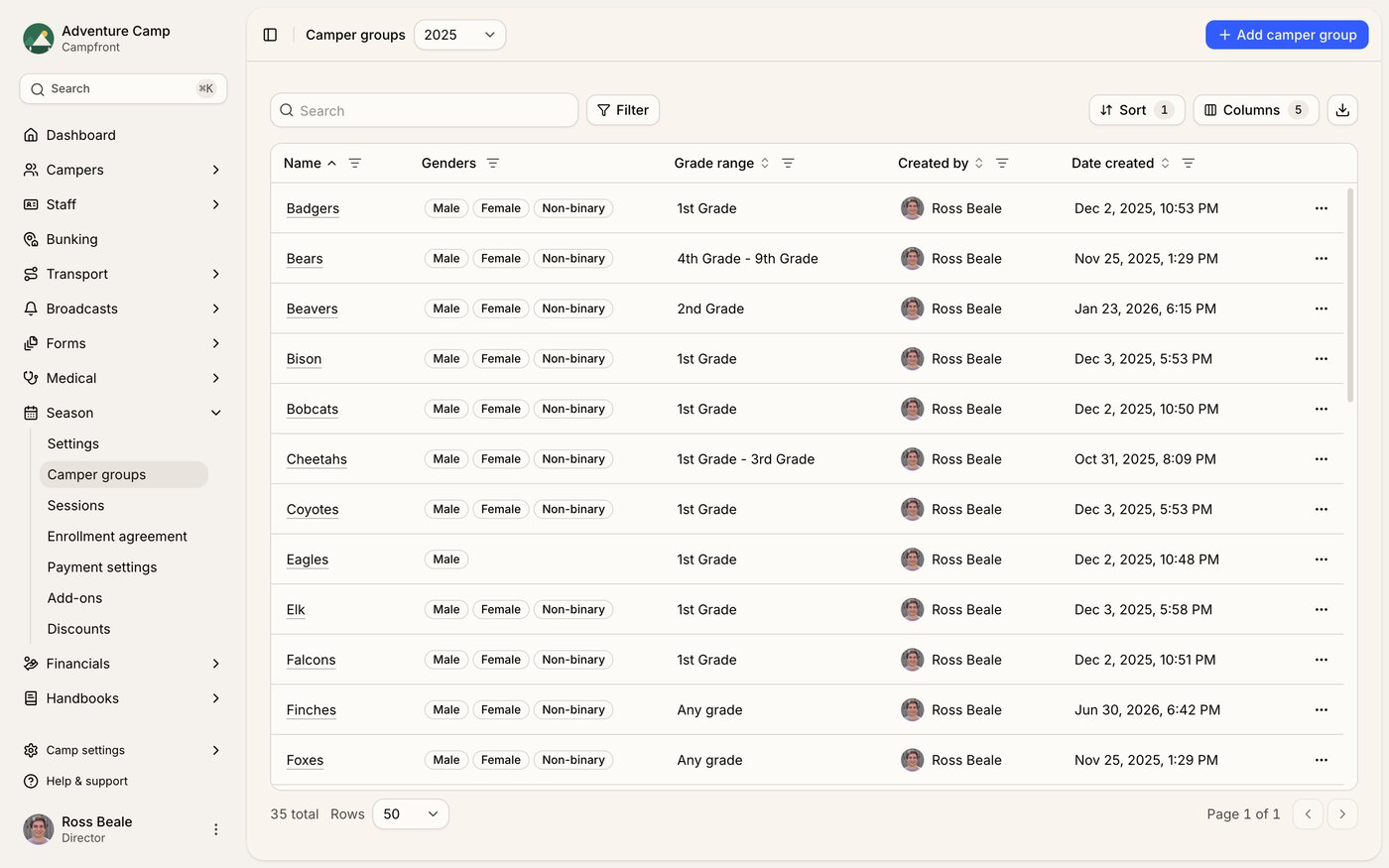
The camper groups Datatable shows each group's name, genders, grade range, who created it, and when. From the action menu you can Edit a group to update its name or criteria, Duplicate a group to quickly create a similar one, or Delete a group that's no longer needed. Campfront blocks deleting a group that already has campers enrolled in it, so reassign or remove those enrollments first.
How camper groups are used
Camper groups are referenced across many areas of Campfront, making them one of the more foundational pieces of your season setup.
Session capacity lets you set per-group limits within each session, controlling how many campers from each group can enroll. Form assignments use segment-based targeting so you can assign forms to specific camper groups. When building your bunking boards, you can filter and organize campers by group. Groups also show up as filters in Datatables for reporting and analysis, as visibility criteria for transport routes, and as targeting options for broadcasts so you can send emails and SMS to specific groups.
Assigning campers to groups
Campers are assigned to groups based on their grade and gender matching the group's criteria. During enrollment, eligible groups are automatically suggested. Admins can also manually assign or reassign campers to different groups from the enrollment profile if needed.
Grade ranges are allowed to overlap. A "Juniors" group covering grades 3-5 and an "Adventure" group covering grades 5-8 can both exist in the same season. When a camper's grade and gender match more than one group, Campfront doesn't guess. The enrollment is left without a group and the season panel on the camper's profile shows a Needs a group badge, so an admin picks the right one. A camper who matches only one group is still placed automatically, and a group set to Any grade acts as the fallback rather than a competing match.