

Alumni
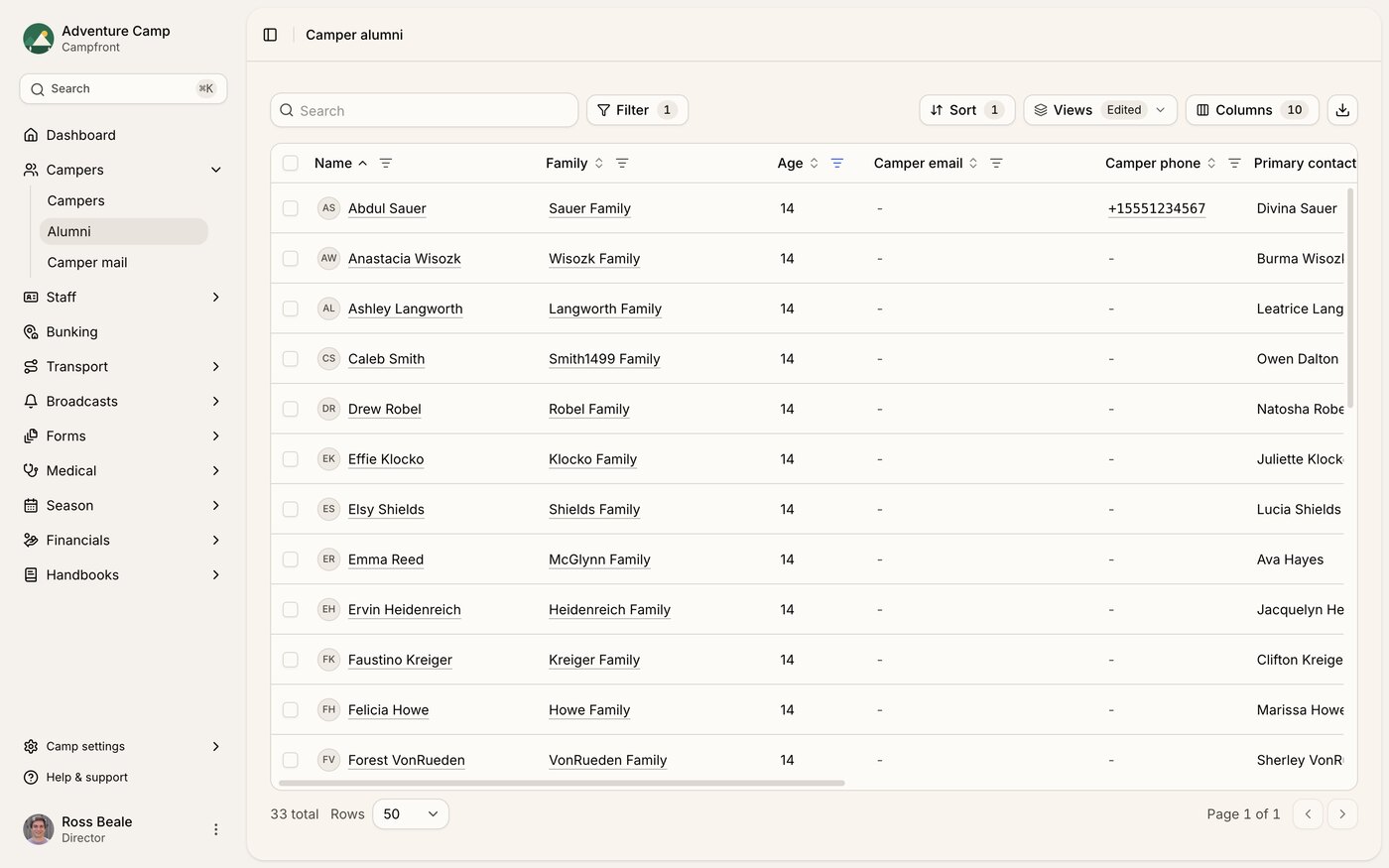
Camper alumni
The camper alumni table is available under the Campers section. Each record includes:
Total years at camp
Enrolled seasons
Camper and family contact information
Staff alumni
The staff alumni table is available under the Staff section. Each record includes:
Total years at camp
Enrolled seasons
Most recent salary
Roles and departments
Contacting alumni
Both tables make it easy to reach out directly, whether you're reconnecting with past campers for re-enrollment or getting in touch with former staff for recruitment. You can contact individuals or use bulk actions to reach multiple people at once.
Finding the right people
Both alumni tables work like every other table in Campfront, so you can filter, sort, and choose your columns before you do anything with the list.
The columns that make alumni useful are the ones about history:
Years at camp - how many seasons someone was with you
Seasons - which years, so you can tell a recent leaver from someone who left a decade ago
Contact details - for campers, the primary contact as well as the camper, since a former camper's family may still be the right person to write to
Filtering on years at camp is usually the quickest way to a good list. Someone who came for four summers is a warmer prospect than someone who came once, whether you're inviting campers back or recruiting former staff.
Save the view once you've built it. Next year the same filter gives you an up to date list without rebuilding it.
Getting in touch
Select the people you want, or select everything matching your current filters, then choose an action:
Email - send a broadcast to the selected alumni
SMS - send a text message, for short reminders like a deadline
Both need permission to edit campers or staff and to send communications, so if you can't see the actions it's worth checking your role.
Messages sent this way respect the same opt-outs as any other broadcast. Someone who has unsubscribed stays unsubscribed, which is what keeps a re-enrollment campaign from becoming a complaint.
Exporting your list
Export the table to CSV when the work happens somewhere else, such as a mailing house, a print run, or a phone campaign you're splitting between staff. The export follows your current filters and columns, so build the view you want first and the file will match it.
Two campaigns worth running
Camper alumni are your re-enrollment list. Families who have already trusted you with a child are the cheapest enrollments you'll ever win, and pairing an alumni email with a priority access code gives them a reason to book before general enrollment opens.
Staff alumni are your recruitment list. Someone who has worked a season already knows the job, and rehiring is faster than training from scratch. Their recorded roles and departments tell you who to approach for which vacancy.